Scan your day as app, website, document, folder, and screenshot moments.
Early access for Windows and macOS
Find the work you were just thinking about.
MomentTrace is a private desktop timeline for apps, websites, screenshots, notes, and saved moments. It helps you recover context without sending your work history to a cloud account.
Goal25 named yesesbefore buying signing certificates
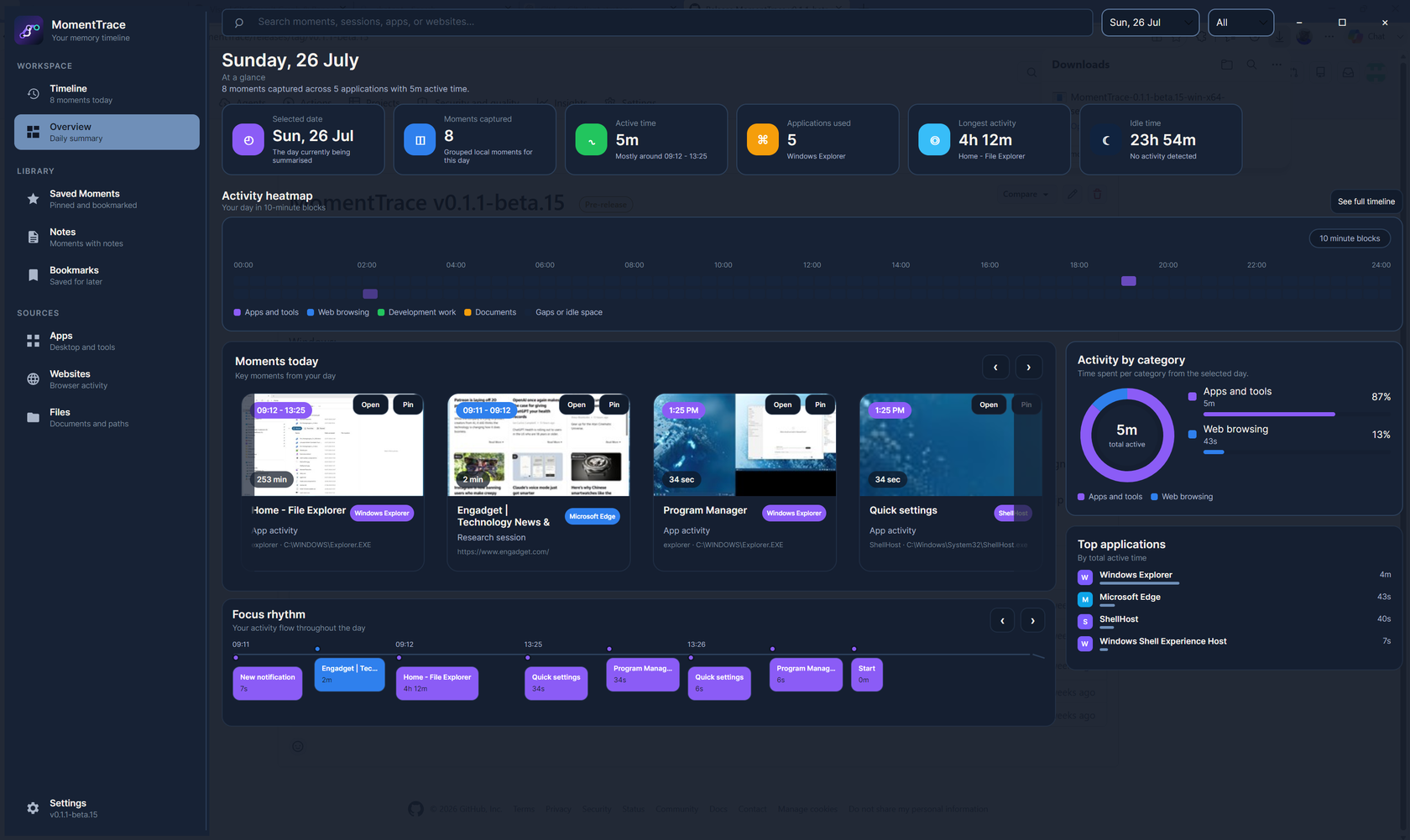
Daily OverviewHeatmap, focus, top apps
Built for the 4pm problem: you remember the tab, folder, app, or screenshot existed. You just do not remember where.
Private by defaultNo account requiredDelete everything locally
Recover context without manual tracking.
MomentTrace turns the day into useful moments, then gives you the controls to search, save, revisit, and clean up your history.
Get a visual recap of attention, top apps, focus blocks, activity patterns, and key moments.
Reopen captured websites, folders, and saved work from the moment you found.
Keep data local, filter sensitive activity, export or delete history, and clear all local app data.
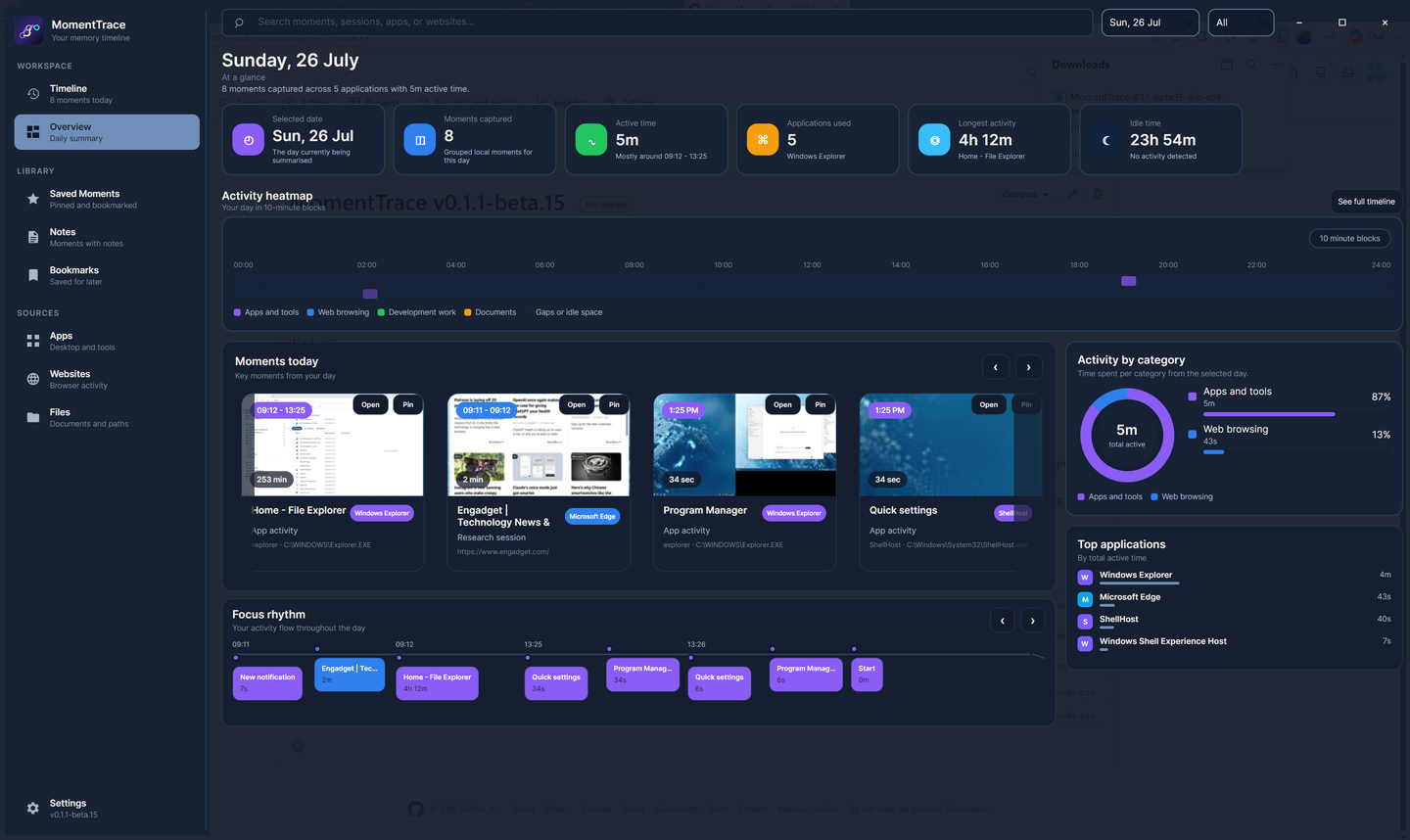
See the shape of the day before diving in.
Overview turns raw activity into a daily story: active time, moments captured, top apps, focus rhythm, heatmap, and the sessions worth revisiting.
- Scan activity density without reading a raw event log.
- Spot top apps and context switches quickly.
- Jump from the big picture into the exact Timeline moment.
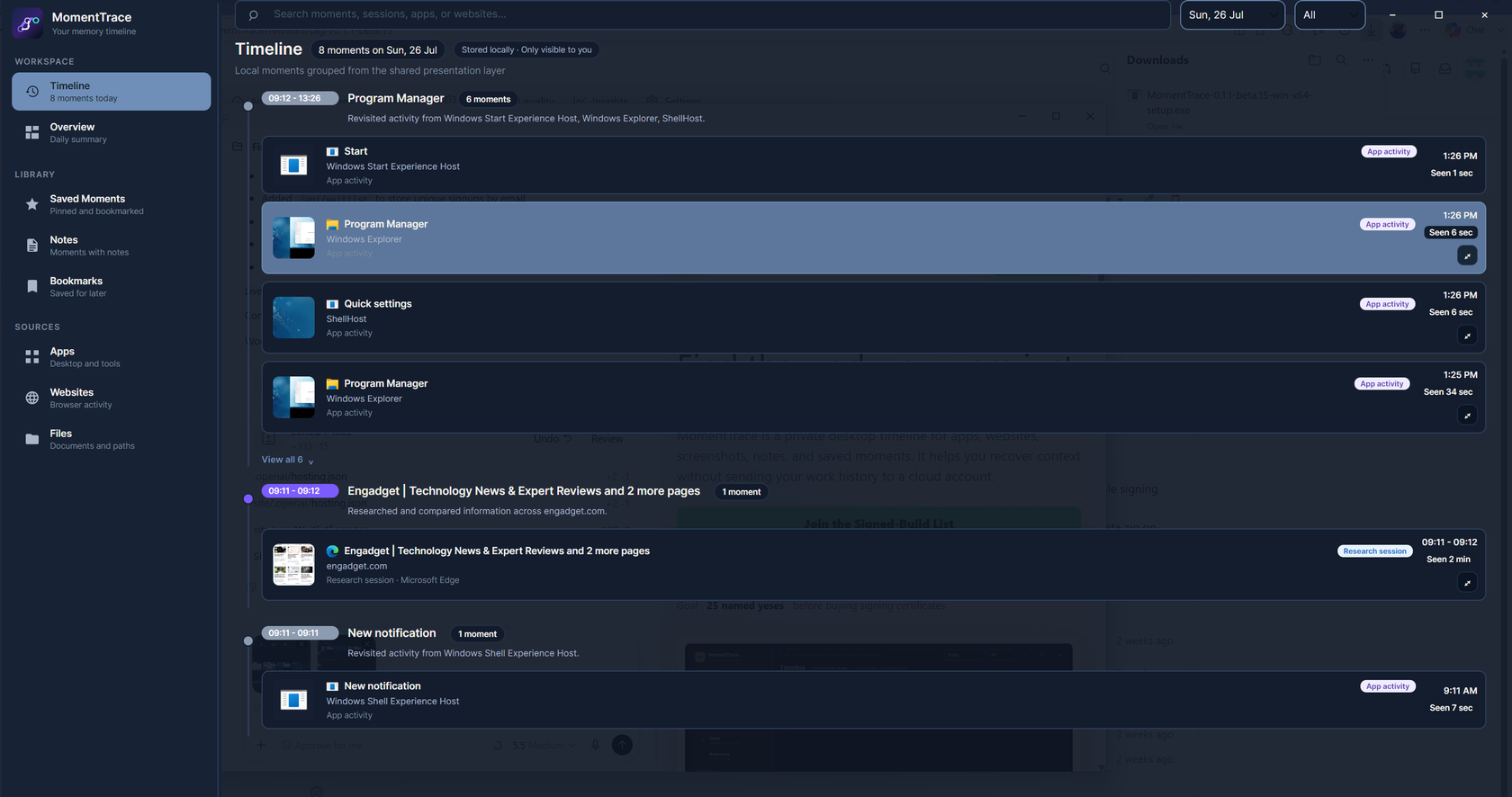
Then open the exact moment you need.
Timeline keeps the details close: screenshots, app and website context, saved moments, notes, and quick reopen actions for the work you want back.
- Search or scan captured activity by time and context.
- Save, pin, and annotate important moments.
- Use previews to recognize the work before reopening it.
Your timeline belongs on your machine.
The beta stores activity history, screenshots, settings, and privacy filters locally. It does not require a cloud account.
Local storageCaptured data is written under your device's MomentTrace app data folder.
Privacy filtersBlock apps or websites and keep adult-site filtering enabled by default.
Cleanup controlsDelete activity history or clear all local app data when you want a clean slate.
No account requiredThe MVP is fully local and deterministic, with AI provider hooks left off by default.
First signed-build list
Help decide when MomentTrace buys trust.
MomentTrace is collecting named interest before spending on Windows Authenticode signing and macOS Developer ID notarization. The trigger is simple: 25+ real people asking for the first signed build.
... / 25Named requests so far
Add your details here. You will be counted once by email, and duplicates update your existing request instead of inflating the signal.
Need to try the current beta?
The functional beta is available for people who already want to test it, but broad public sharing waits until the installers are signed and trusted by the operating system.
Beta checklist
Install, complete onboarding, let Timeline run, check Overview, save a moment, open Settings, and inspect privacy controls.
Trust caveat
Windows and macOS builds are not yet signed with public release certificates, so first-run security prompts are expected.